Lonestar Streaming is a white-label live streaming platform built to bridge a gap in the event production space. Producers were stuck choosing between expensive custom solutions or platforms like Twitch and YouTube that didn't allow branding or customization. Organizations saw third-party branding as undermining their credibility, while viewers just wanted video that worked and felt cohesive with the brand they expected. I designed both the viewer-facing streaming experience and the producer dashboard that powers it.
Services
Product Design Front-End Development
Industries
Media Production/Live Streaming
Date
2025
My Role
I was the lead designer on this project and led it end-to-end, from initial concept through final delivery. I worked closely with the development team by providing fully functional code prototypes built with Claude Code, which allowed for faster iteration and clearer communication of interaction patterns.
Understanding the Problem
I conducted interviews with 20+ event producers running everything from corporate keynotes and conferences to live sports and concerts. Despite the variety, a consistent theme emerged: existing tools either oversimplified things or overwhelmed users with technical complexity. One producer captured it perfectly: "We're not engineers. We just need to go live, look professional, and not panic."
Through these conversations and technical discussions with developers, I also learned that production setups vary dramatically. Some organizations can plug directly into an RTMP feed. Others have existing infrastructure through YouTube Live or Twitch and don't want to abandon a working setup.
On the viewer side, competing platforms offered fragmented experiences. Users navigated to external sites for schedules or manually looked up speaker information. The stream felt disconnected from the hosting organization.
This research shaped a core design principle: surface complexity progressively—essential controls front and center, technical details accessible but not intrusive.
The Challenges
For producers: Enterprise-grade control without technical expertise, regardless of whether they were streaming a board meeting or a basketball game.
For viewers: A seamless, branded experience with integrated supporting content rather than scattered external links.
White-label flexibility: Pixel-perfect brand alignment without custom development. One enterprise client required exact Pantone colors and specific header treatments.
Technical and content adaptability: The platform had to work with different production infrastructure (RTMP, YouTube, Twitch) and different event types (keynotes, sports, concerts) without feeling like a compromise.
Viewer Experience
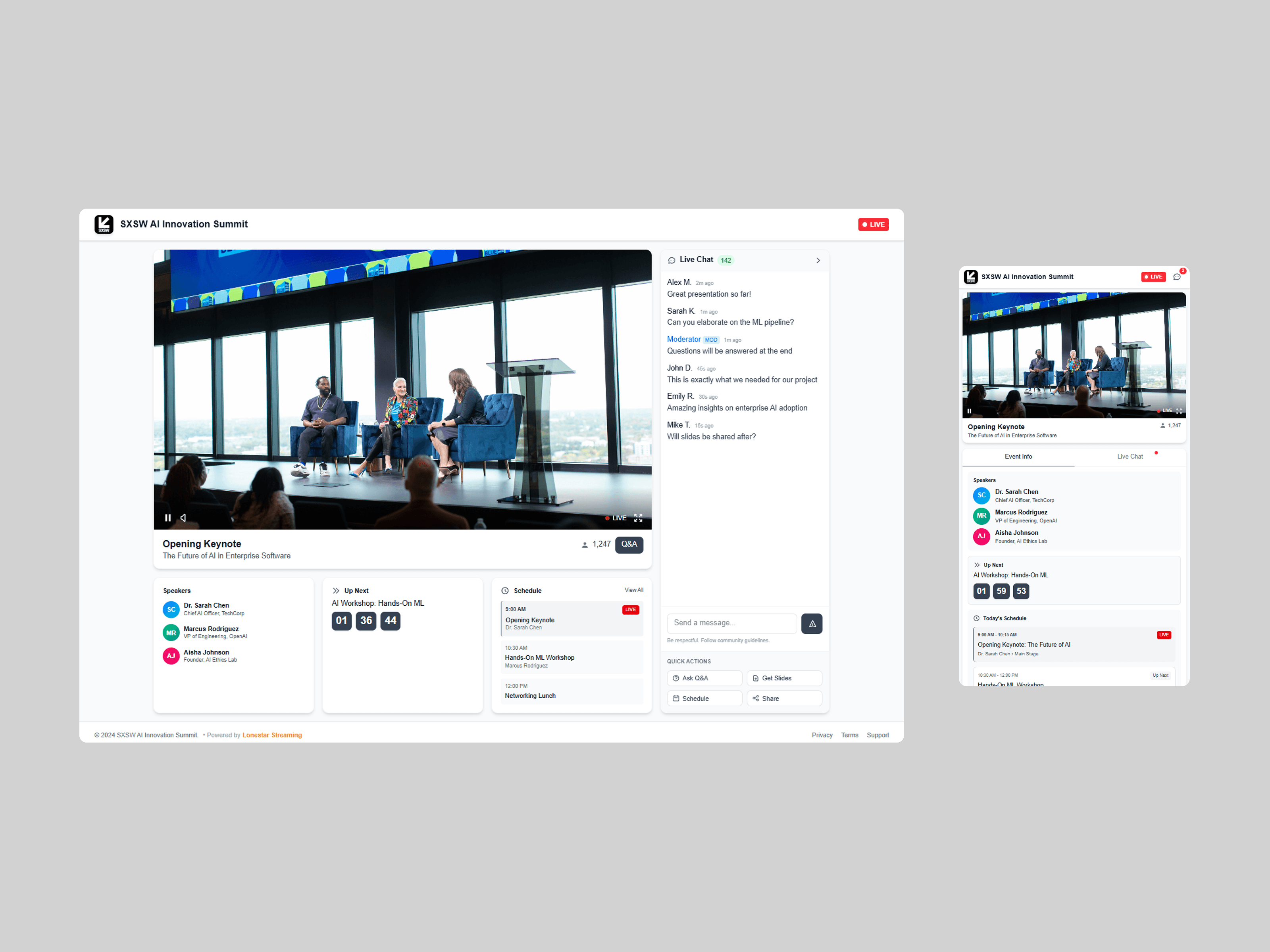
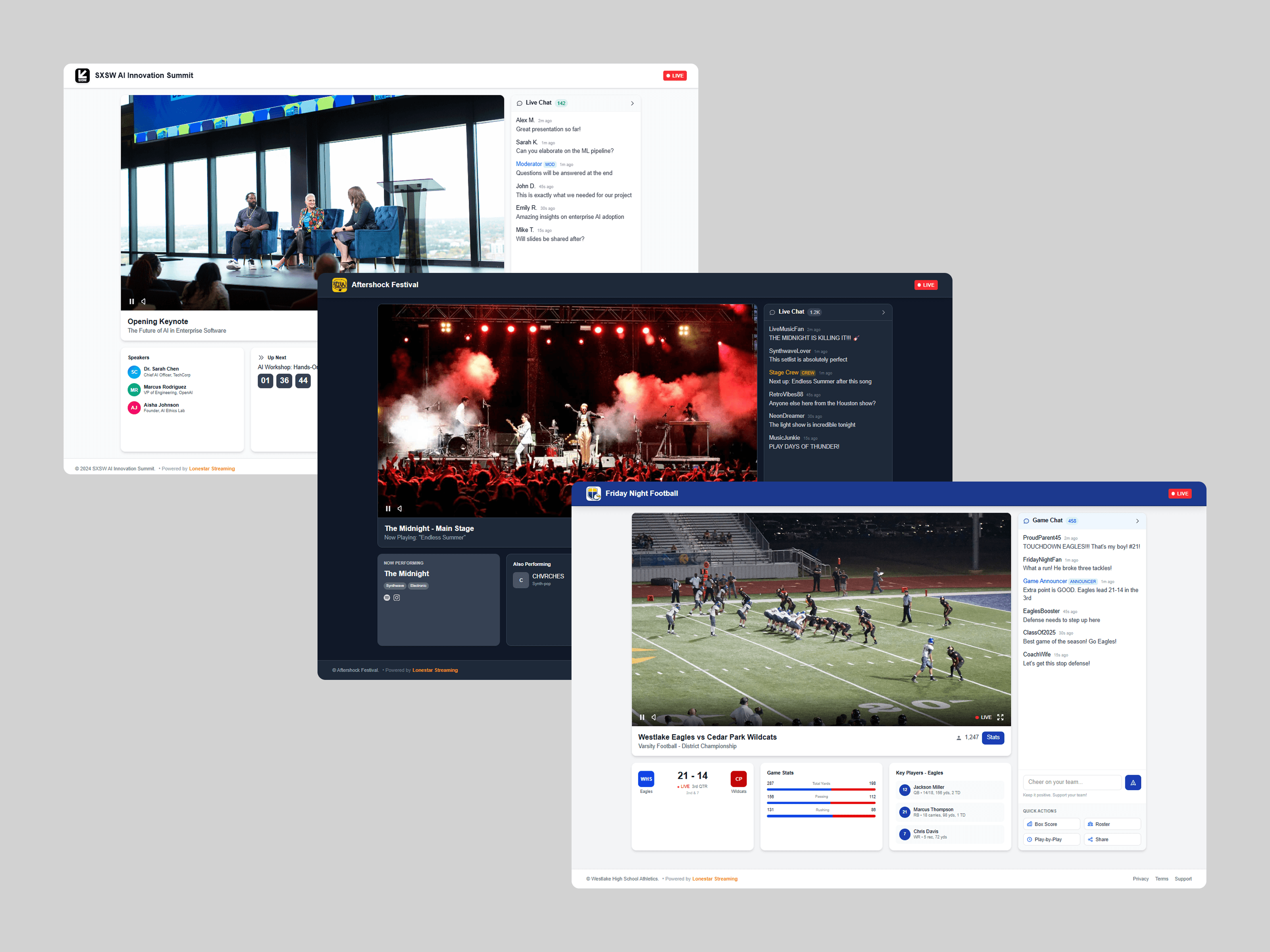
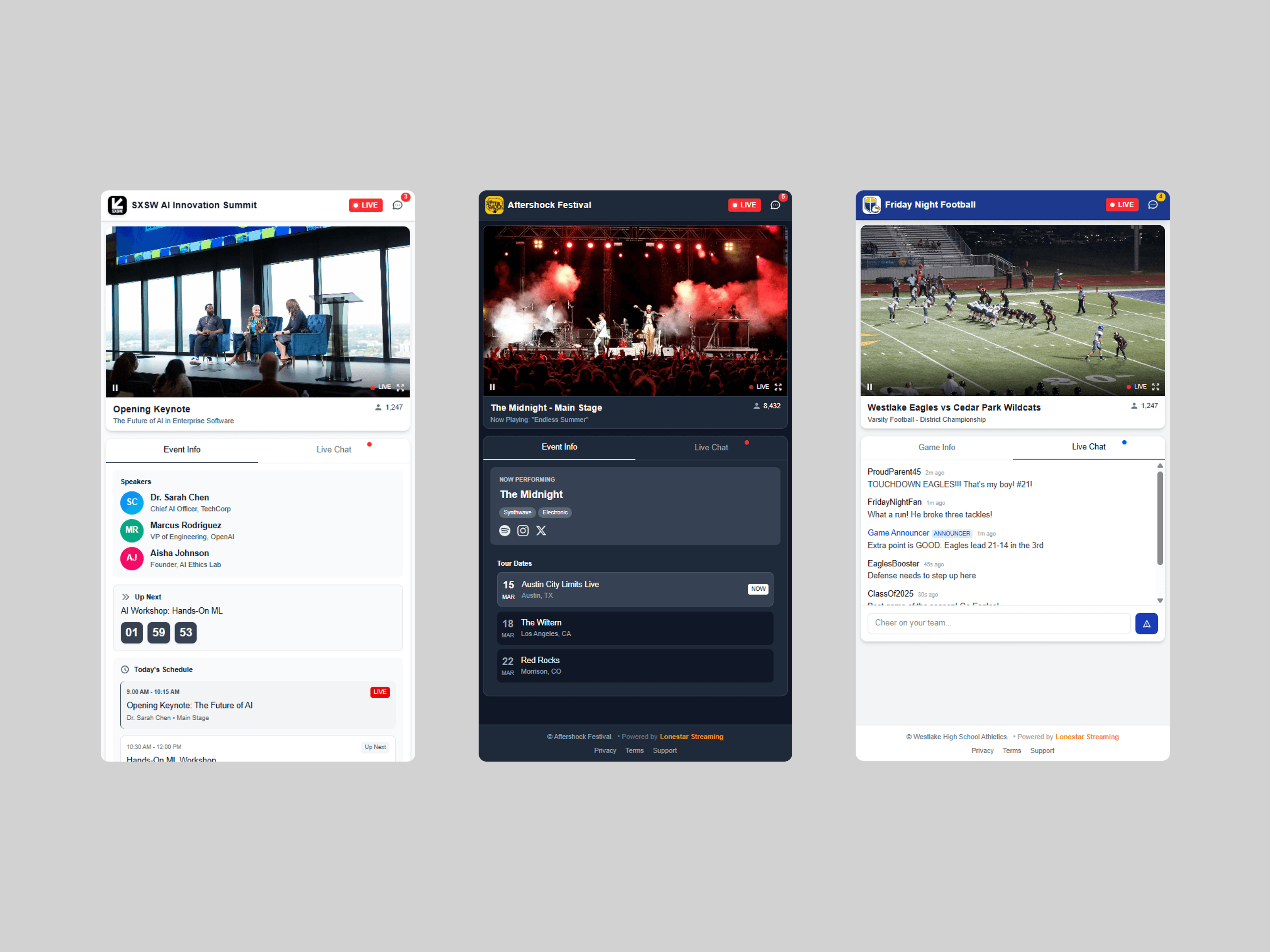
I designed the viewer interface around a clear visual hierarchy: video player dominates the viewport, a card-based sidebar provides contextual content (speakers, schedules, countdowns), and collapsible chat and Q&A don't compete with video.
Different events need different supporting content. A keynote benefits from prominent speaker information. A sports broadcast needs minimal distractions. Rather than building separate templates, I designed a modular system where producers toggle components on or off based on their event type.
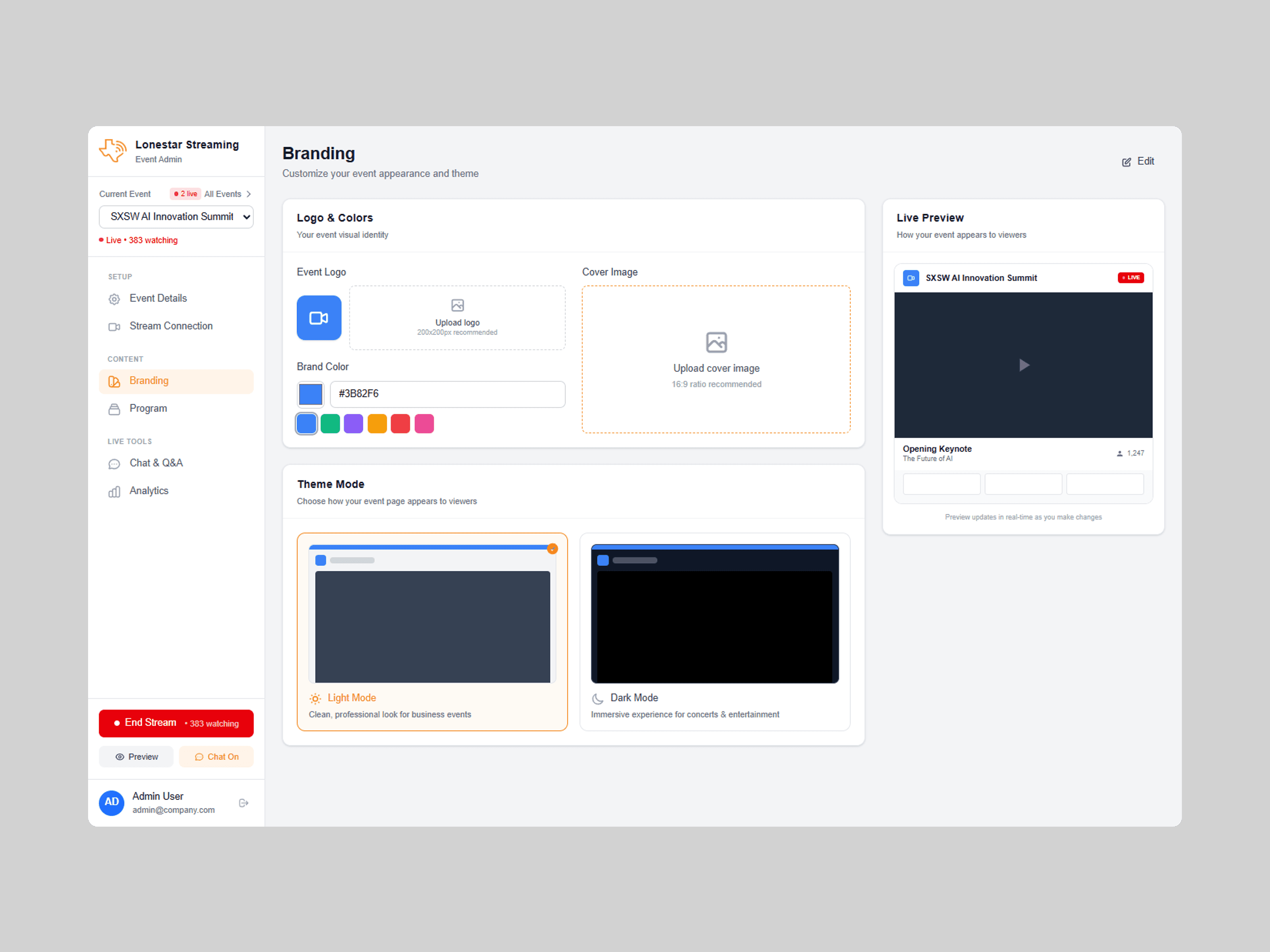
For white-label customization, organizations can upload logos, apply brand colors and typography, and use custom domains.
Producer Dashboard
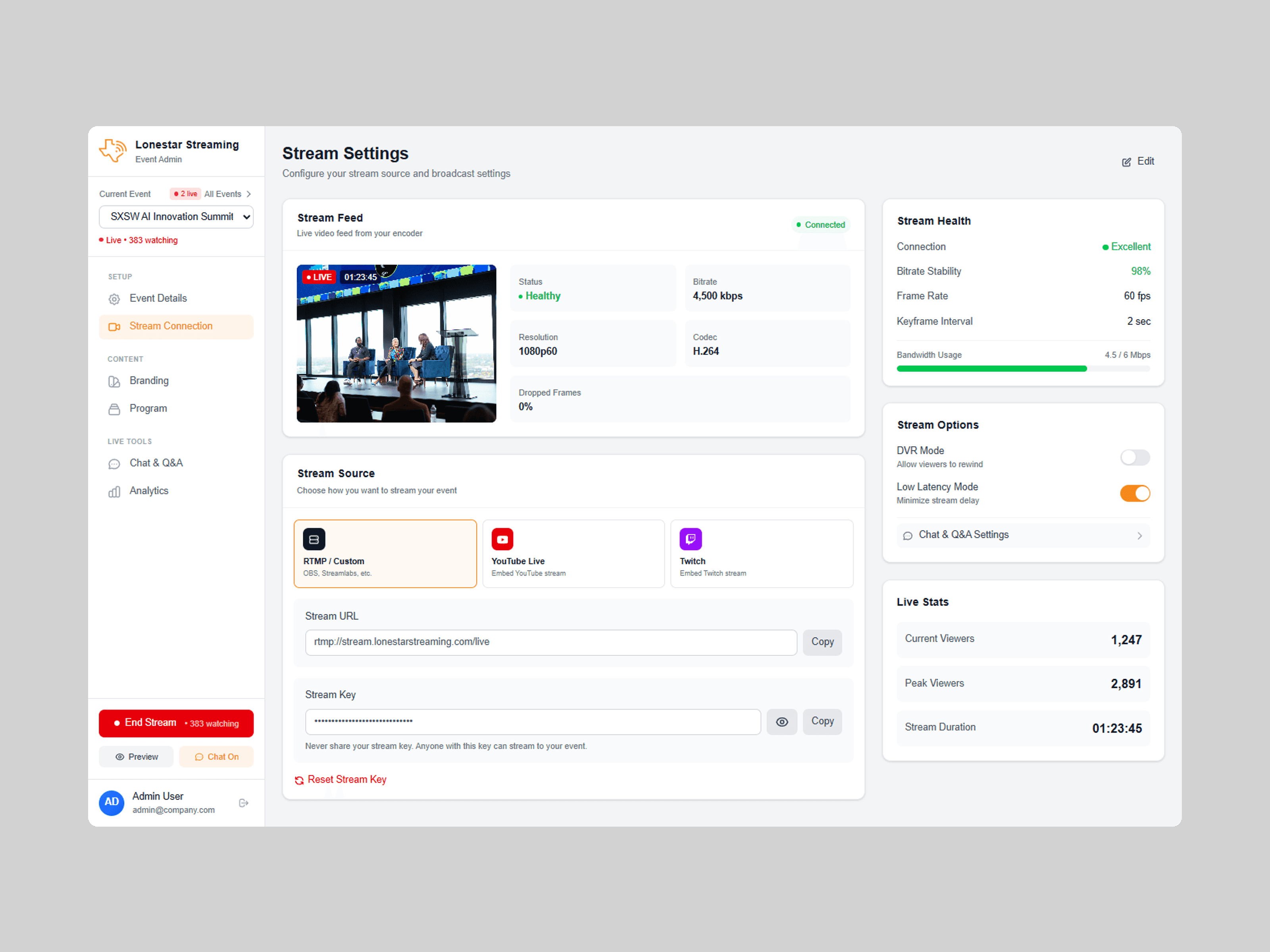
Stream Configuration: I designed multi-source support so producers can connect via direct RTMP or pull from existing YouTube Live or Twitch streams. The viewer experience stays consistent regardless of source, lowering the barrier for organizations not ready to overhaul their production workflow.
Stream Control Center: Initial prototypes showed raw metrics like bitrate and dropped frames, which confused users. I iterated to a traffic-light system with plain language: "Your stream is stable" vs. "Viewers may experience buffering." Technical details remained accessible but weren't required.
Broadcast Controls: A large "Go Live" button with inline metadata editing. Users went live in 3 minutes on average during testing—under our 5-minute target.
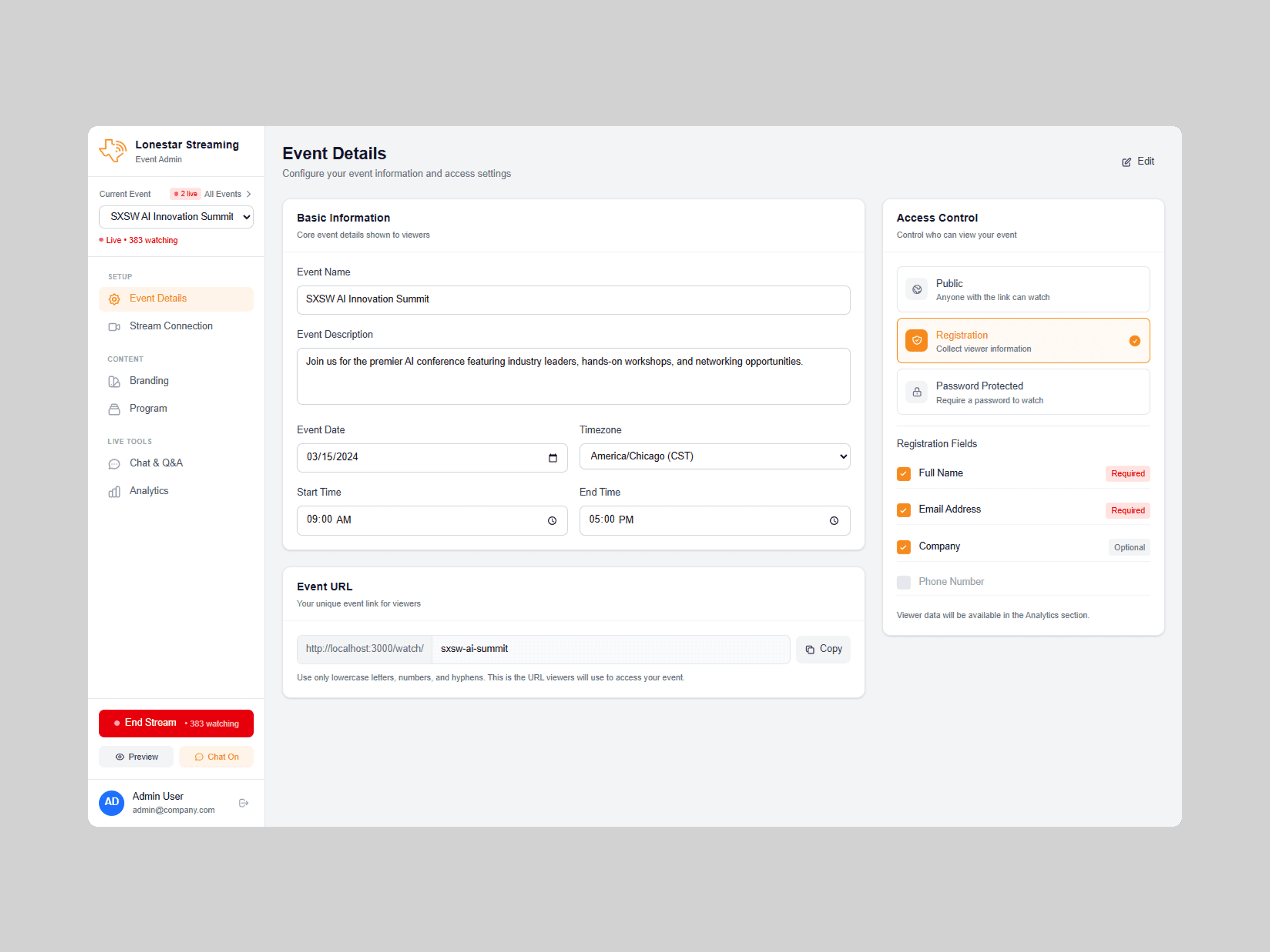
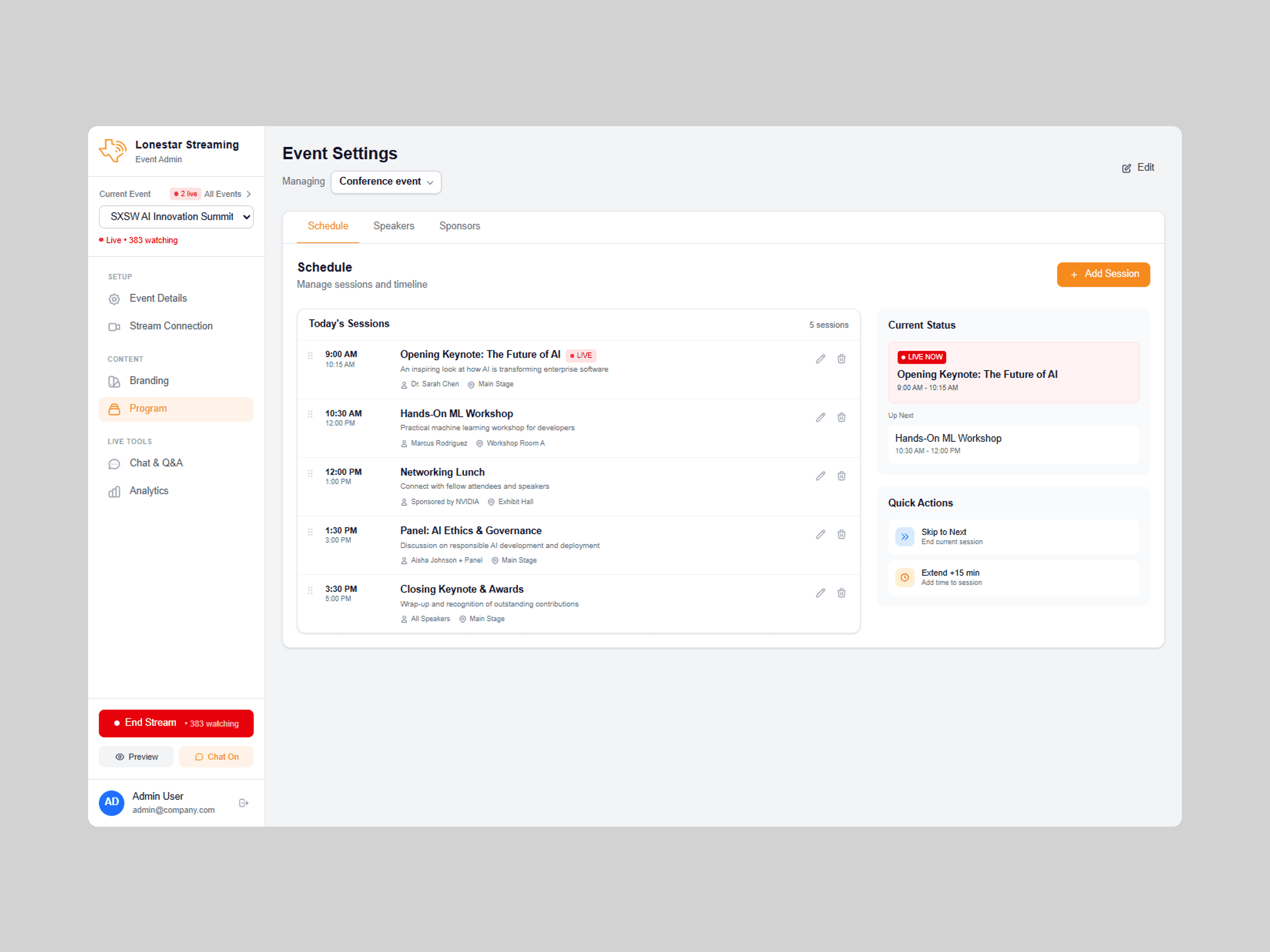
Event Configuration: Drag-and-drop logo upload with live preview, color picker with presets, access controls (public, registered, password protected), and visibility toggles so producers can tailor the viewer experience to their event type.
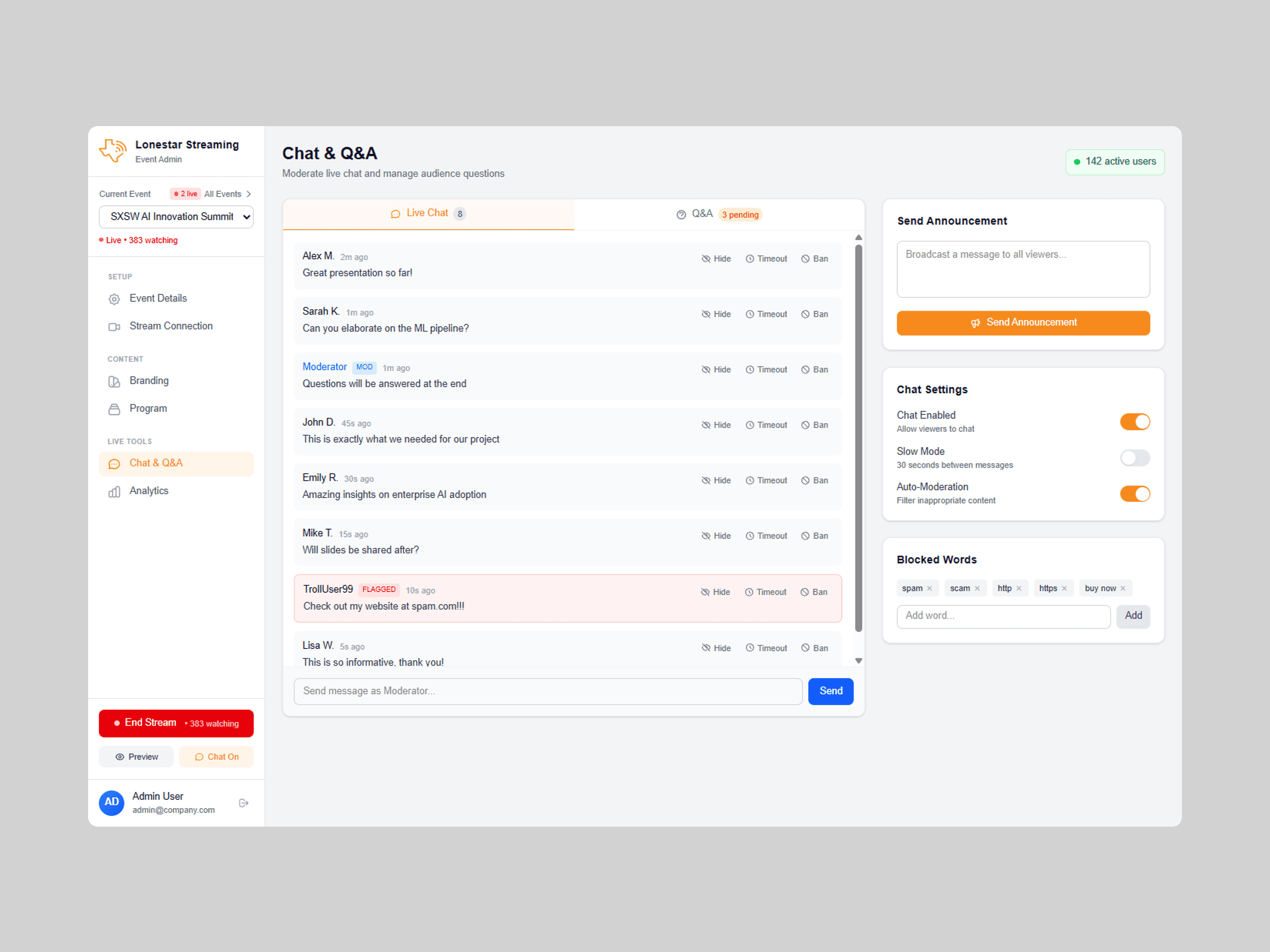
Content & Moderation: Drag-and-drop schedule builder, "Now Playing" indicators, dual-tab moderation for chat and Q&A with auto-flagging and keyboard shortcuts, plus post-event analytics with viewership graphs and geographic distribution.
The Solution
Flexible platform architecture: One system that adapts to different event types (keynotes, conferences, sports, concerts) and technical setups (RTMP, YouTube, Twitch) without custom development
White-label customization system: Logos, colors, typography, CSS overrides, and custom domains configurable by non-technical users
Modular viewer experience: Component-based design with visibility toggles so producers can tailor the interface to their event type
Conclusion
Lonestar Streaming proves that powerful functionality and elegant simplicity can coexist when you design for distinct user needs. By understanding that producers need control while viewers need immersion, the platform delivers tailored experiences without compromise.
Outcomes
Average time to go live reduced to 3 minutes (under 5-minute target)
20% reduction in viewer drop-off compared to previous solutions
Enabled non-technical producers to launch fully branded streams without developer support